

Connect actuals
A shared view of actuals and plans
Connect financial reporting with the work behind the numbers. Capture assumptions, explore scenarios and organise contributions and approvals around your finance process.
Card required at signup. No charge until your 30 day trial ends. Your assisted trial starts after onboarding and environment setup.Choose the workflow you want to improve. We agree the data, contributors, review steps and outputs, then confirm the existing solution and any development needed.
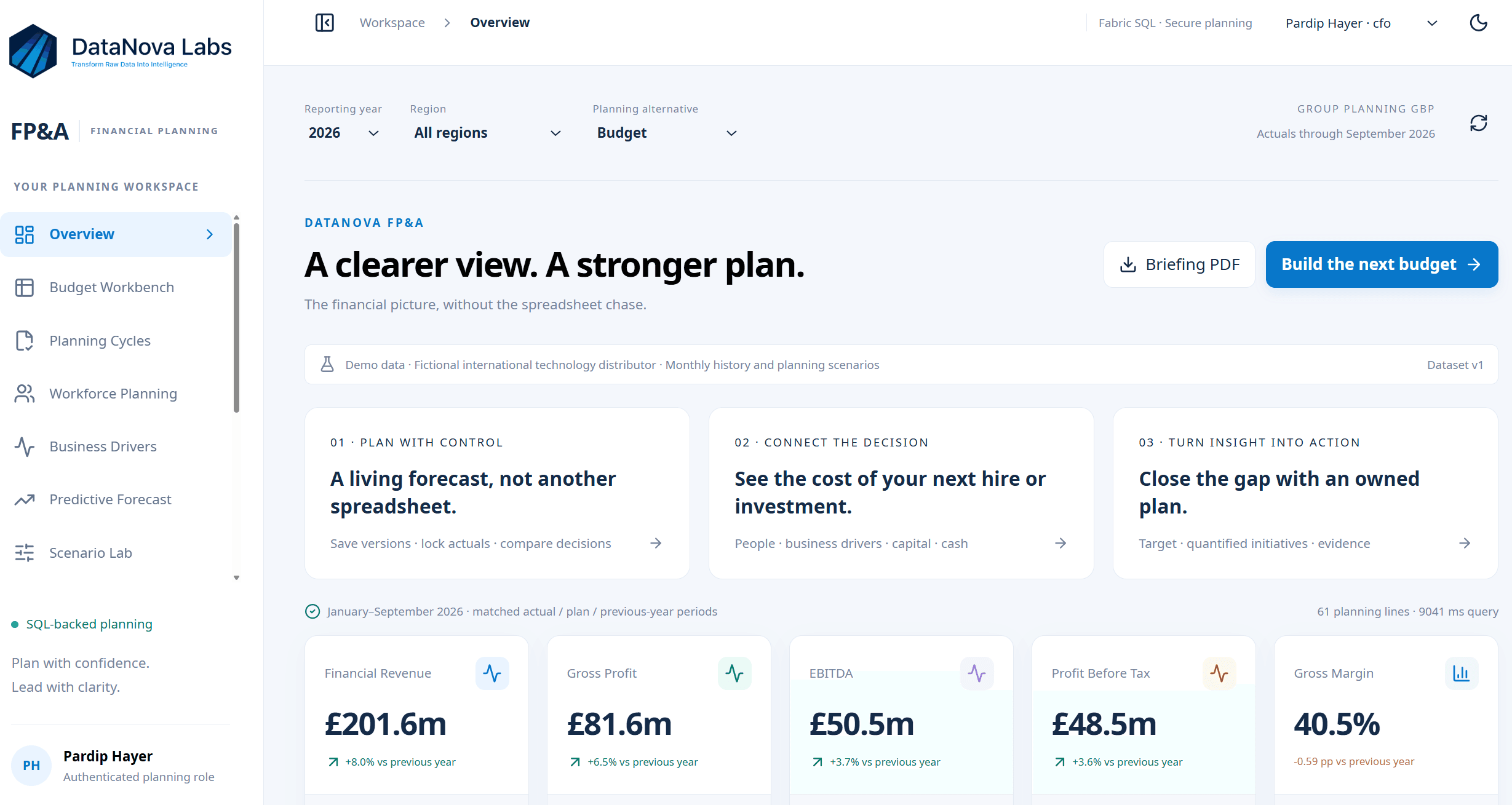
A shared view of actuals and plans
Visible assumptions and ownership
A defined review and approval process
Confirm the action, its owner and what the team will review next.
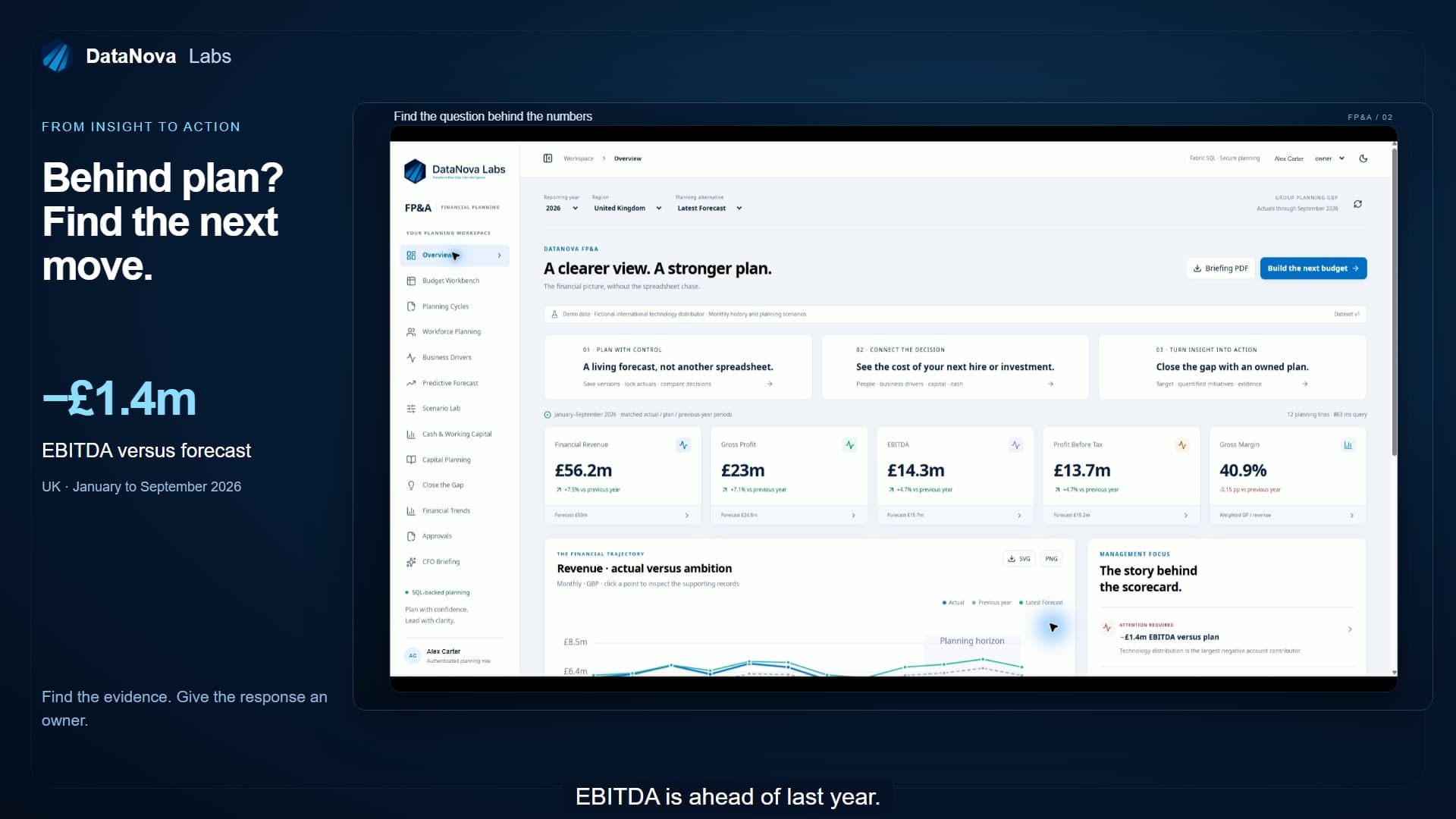
Follow an EBITDA gap into its supporting accounts, then connect the response to initiatives and accountable owners.
Revenue is growing. EBITDA is ahead of last year, but it's still around 1.4 million pounds below forecast. So what's driving the gap? Click the EBITDA figure to see the accounts behind it. Which contributions helped? Which held performance back? And how do they reconcile to the headline number? You've identified the gap. Who owns the response? Close the gap connects the target to specific initiatives, accountable owners, and proposed financial impact.
An example from the supplied application recordings. Scope, data and outputs depend on your agreed application.
Each highlight takes less than a minute. The full walkthrough connects the planning process from start to finish.
 0:41
Follow an EBITDA gap into its supporting accounts, then connect the response to initiatives and accountable owners.
 0:39
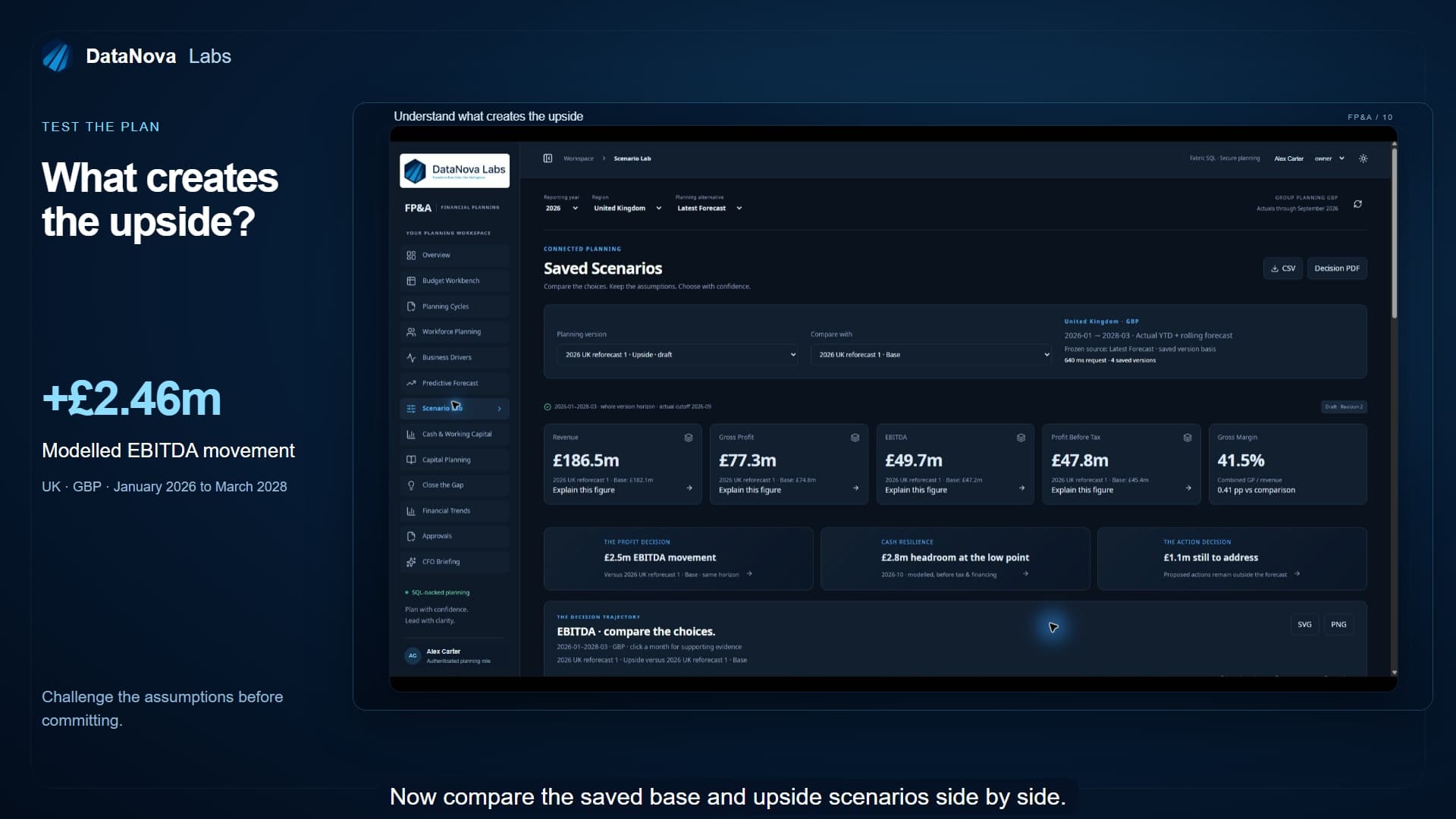
Compare a base plan with an upside scenario and inspect the account movements behind the modelled result.
 0:49
Compare a machine learning outlook with the business plan, then explore an executive briefing linked to supporting figures.
 0:59
Start FP&A with uploaded files or direct entry, then connect business systems and publish agreed planning data into a Fabric lakehouse.
Share your requirements. No card or commitment.
Describe the result you need and the information you work with. We can help you identify a suitable existing application or scope a tailored pilot.
A card is required when you start a trial. An enquiry does not start a subscription or commit you to a project.
Explore on your own, or work with us to prepare an application around your business.
Go from your own spreadsheets to reporting, analysis and practical data tools.
Explore the full application offering with an environment prepared around your workflow.
A trial that starts when you are ready. Environment setup typically takes one to two days. User setup, data connections and any agreed custom development may take longer.
It brings actuals, budgets, forecasts and planning inputs into a connected workspace. Contributors can enter assumptions, compare scenarios and follow agreed review and approval steps. The application scope is prepared around your finance process.
Excel imports can provide a starting point. API connections and on-screen entry can extend the same process. We agree which information comes from each source, who owns it and how it should be refreshed.
Choose one planning process and identify the people who contribute and approve. Bring the structure of your actuals, budget template and key assumptions to the scoping discussion. We agree data handling and access before connecting business information.
The essentials about applications, preparation and your two trial options.
The standard platform gives you spreadsheet uploads, reporting, AI analysis, AI-created visuals and DataApps for table creation and data entry. Choose a plan and start through the existing signup process. A card is required at signup. You are not charged until the 30 day trial ends.
Yes. A card is required at signup for both the standard platform trial and the assisted application trial. You are not charged until your 30 day trial ends. The assisted trial lasts 30 days, starting after onboarding and environment setup. We agree the application scope, preparation and ongoing costs with you before it starts.
The assisted 30 day trial covers our finance, operations and customer application offering, including custom predictive models. We agree the workflow, prepare the environment and complete onboarding before your trial starts.
Your 30 days start after onboarding and environment setup. Environment setup typically takes one to two days. User setup, data connections and any agreed custom development can take longer, so we confirm the preparation steps and start date with you.
Start with an existing DataNova solution or commission an application around your requirements. We confirm the available starting point, configuration and any development needed before preparing an assisted trial.
Applications can use API connections, Excel imports or information entered directly on screen. The connection method, preparation and refresh requirements depend on your systems and agreed scope.
If an existing app fits without additional mapping or implementation, implementation and the 30 day trial are free, followed by normal subscription charges. If mapping or custom work is required, we agree the pilot and full quote upfront. After the 30 day trial, the quoted implementation fee and monthly subscription are payable only if you choose to proceed.
Review the selected plan, renewal and cancellation terms before confirming a standard trial. An existing app that fits moves to normal subscription charges after the assisted trial. For a pilot needing mapping or custom work, the quoted implementation fee and monthly subscription become payable after the trial only if you choose to proceed. We agree the scope and decision process upfront.
Tell us what you want to improve, which systems hold the data and who needs to use it. We’ll help you identify a practical starting point.
Discuss your use case