

Receipts with the right context.
Bring the receipt, amount, business reason and cost allocation into one expense record.
Give employees a clear way to submit expenses, managers a focused approval queue and finance the detail behind every claim.
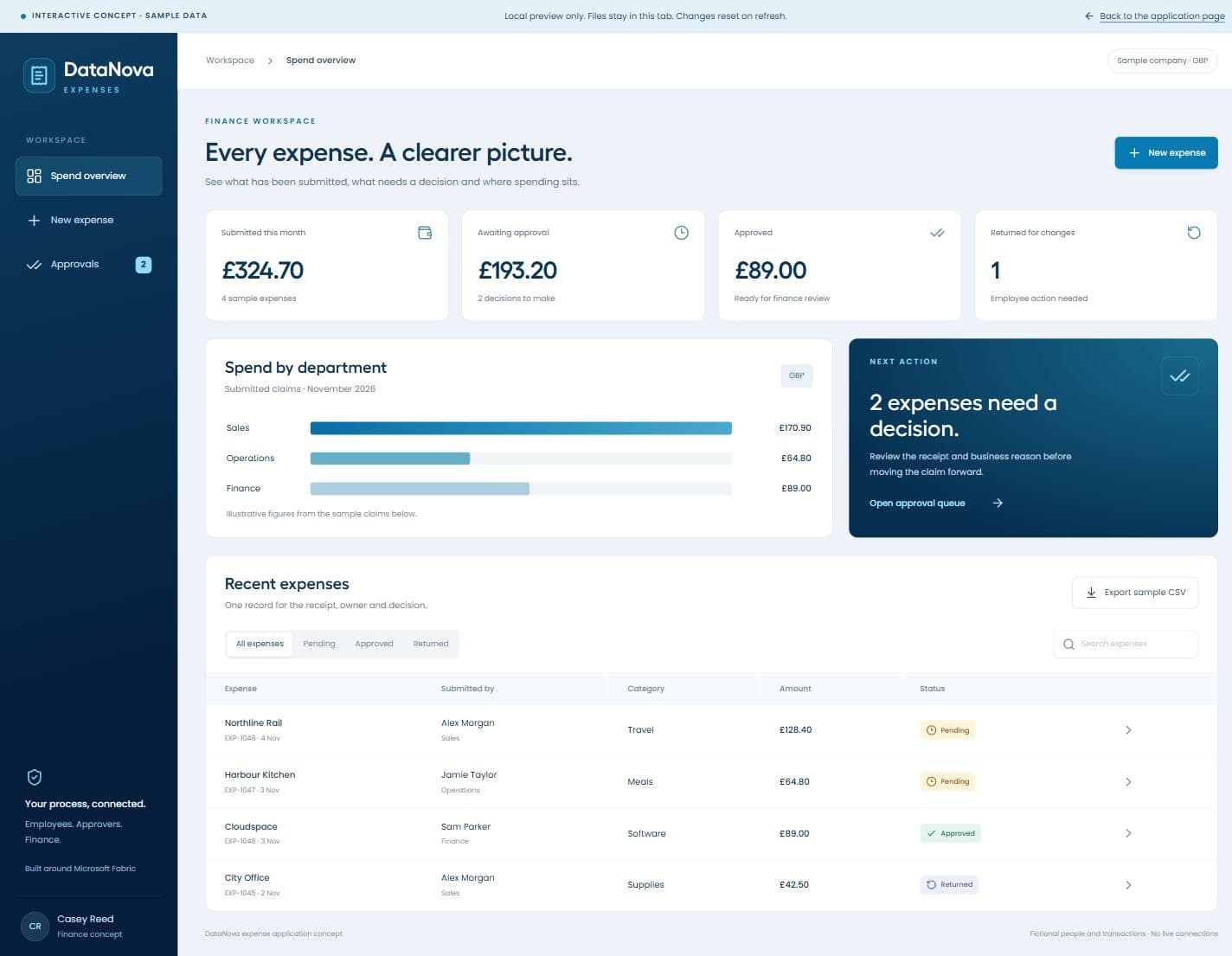
A receipt in an inbox is only part of the story. Connect it to the person, purpose, approval and cost centre, so the next step is clear.
Bring the receipt, amount, business reason and cost allocation into one expense record.
Agree manager, department and finance review steps around your own spending policy.
Separate submitted, approved and returned claims, with the evidence behind every total.
Explore an illustrative application with fictional data. Your final workspace is configured around your team and agreed requirements.
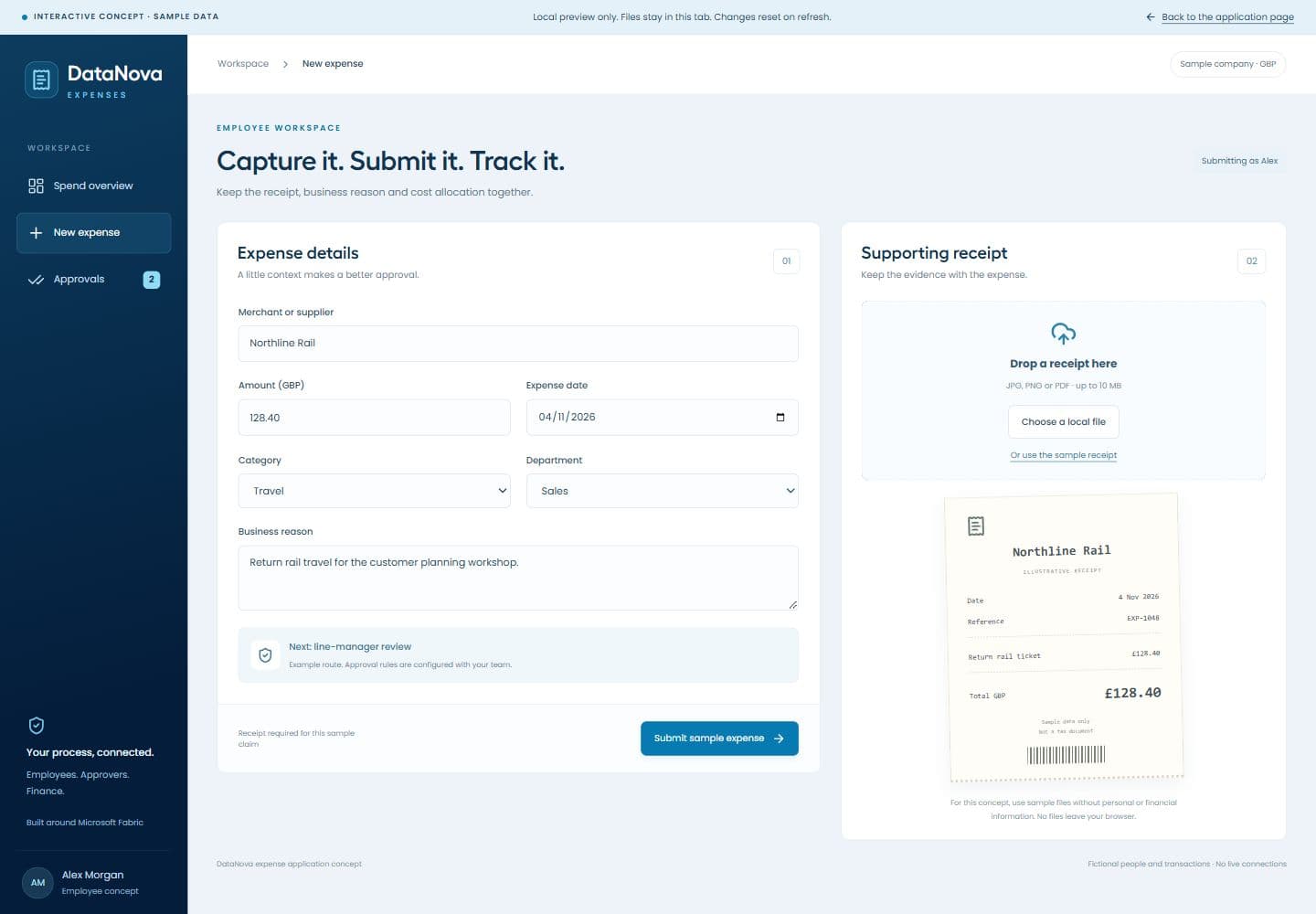
Upload the supporting file, explain the business purpose and allocate the cost before submitting. Give reviewers the information they need the first time.
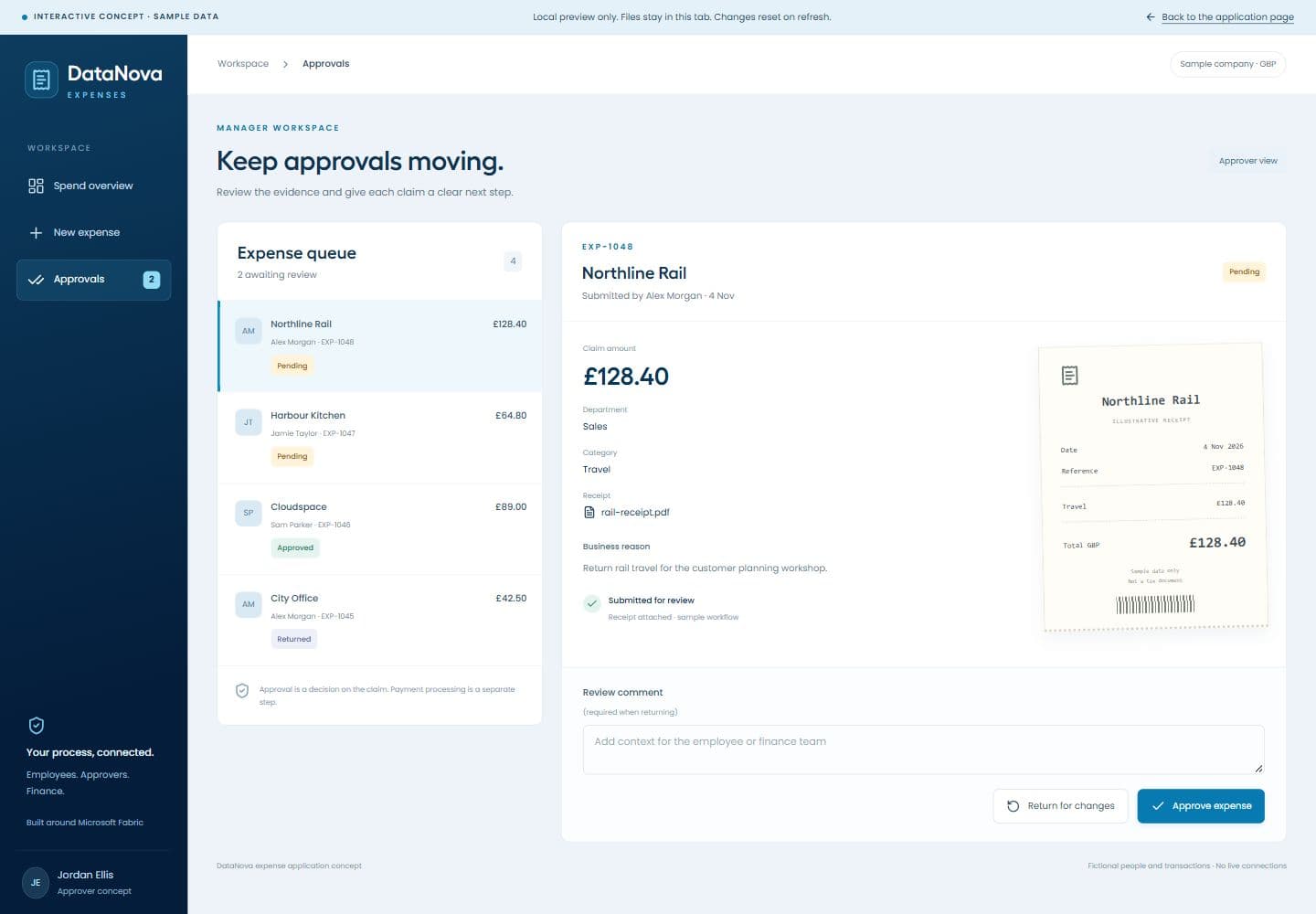
Review the claim alongside its receipt. Approve it or return it with a reason, then keep the decision attached to the record.
Bring claim status, departments, projects and supporting evidence into a connected finance view. Agree the reporting and handoff into your accounting process.
Start with one team or entity. Agree the workflow, prepare the application and use real business scenarios to prove the fit.
Record the expense and attach its supporting documents.
Send the claim through the agreed levels of review.
Approve or return with a reason and a traceable outcome.
Give finance approved claims and the context for its next step.
Approval, reimbursement and accounting posting are separate controls. We define the handoff and any integrations with you before implementation.
Share your requirements. No card or commitment.
Describe the result you need and the information you work with. We can help you identify a suitable existing application or scope a tailored pilot.
A card is required when you start a trial. An enquiry does not start a subscription or commit you to a project.
Both assisted routes include a 30 day free trial, starting after onboarding and environment setup. Card required at signup. No charge until your 30 day trial ends.
If an existing application meets your requirements without additional mapping or implementation, implementation and the 30 day trial are free. Normal subscription charges begin after the trial, under your agreed terms.
We agree the application, mapping, workflows and implementation quote upfront. We then prepare the agreed pilot for your 30 day free trial. If you choose to proceed afterwards, the quoted implementation fee and monthly subscription become payable.
We confirm the pilot deliverables, preparation, trial start and decision process together. Any work beyond the agreed pilot scope is discussed separately.
Agree the workflow and its boundaries, then build around the work your team actually needs to do.
They would add the merchant, date, amount and business reason, attach the receipt and select the relevant department or project. The configured workflow then routes the claim to the right reviewer.
Yes, we can scope approval levels by factors such as amount, department, project or legal entity. We agree the rules, substitutes and exception handling before preparing the application.
This is a proposed application prepared with you. Your fields, approval rules, access and reporting need configuration. We confirm the scope, implementation work and trial route before you start.
Approval records the decision on a claim. Reimbursement, payment execution and accounting posting are separate steps. We agree whether finance uses an export, an ERP handoff or a separately scoped integration.
We can scope connections to your finance data, cost centres, projects and budget model. Source access, mapping, posting permissions and refresh requirements are confirmed with you. A reporting connection alone does not enable writeback or payments.
They show an interface concept with fictional data. We use these designs to agree the employee, manager and finance experience before building and configuring your application.